



Challenges & Solutions
Recruiter's Flow
How to let the candidates know about the opening in the company?
Recruiters can create and manage multiple job posts for their company.
Job listings include details like job title, requirements, and application deadlines.
Posts are created and managed through the company page.
Multiple associate recruiters can access and manage job postings.
One designated admin holds full control over the company page.
The admin can grant or revoke access to other recruiters.
Ensures organized and efficient management within a collaborative structure.

How will the recruiter monitor hundreds of applications in a way that would make their work easy?
The ATS flow allows recruiters to easily manage and track applications through various hiring stages
Comprehensive research was conducted to provide recruiters with effective filters for streamlining their workflow
A wide variety of filters help recruiters quickly sort and prioritize candidates
Recruiters can view detailed assessment performances and full candidate profiles
Two display options are available:
List view
Card view
Recruiters can choose their preferred display option for tracking applications

How will the recruiter communicate with the candidate?
The Messaging Feature allows recruiters to communicate directly with candidates within the platform
Recruiters can initiate conversations, send updates, and schedule interviews via a chat-like interface
Supports document attachments for sharing job descriptions, interview schedules, or other files
Pre-built message templates are available to streamline communication with multiple candidates
All messages are stored in a centralized location for easy tracking and follow-up
Ensures timely and organized communication throughout the hiring process

How will the recruiter manage so many tasks together?
The Events feature helps recruiters schedule key activities like interviews, meetings, and onboarding sessions
Timely reminders ensure recruiters don’t miss important events
Events sync with the recruiter’s calendar for a clear overview of upcoming commitments
The Task feature allows recruiters to create and assign tasks related to hiring, such as follow-ups, application reviews, or documentation
Tasks can be categorized, prioritized, and tracked for better workflow management
Both features work together to keep the recruitment process smooth and ensure deadlines are met

How will the recruiter find whatever they are looking for?
The Search Feature allows recruiters to quickly find candidates, job posts, or specific information.
Recruiters can use a keyword-based search bar to locate candidates by name, skills, location, or qualifications.
Advanced filters help refine search results based on job title, application status, or assessment scores.
Designed for speed and precision, enabling instant access to relevant profiles, job posts, or messages.
Optimizes workflow and reduces time spent on manual sorting, whether searching for a specific candidate or reviewing applications.

How can the recruiter get the required information regarding the candidate?
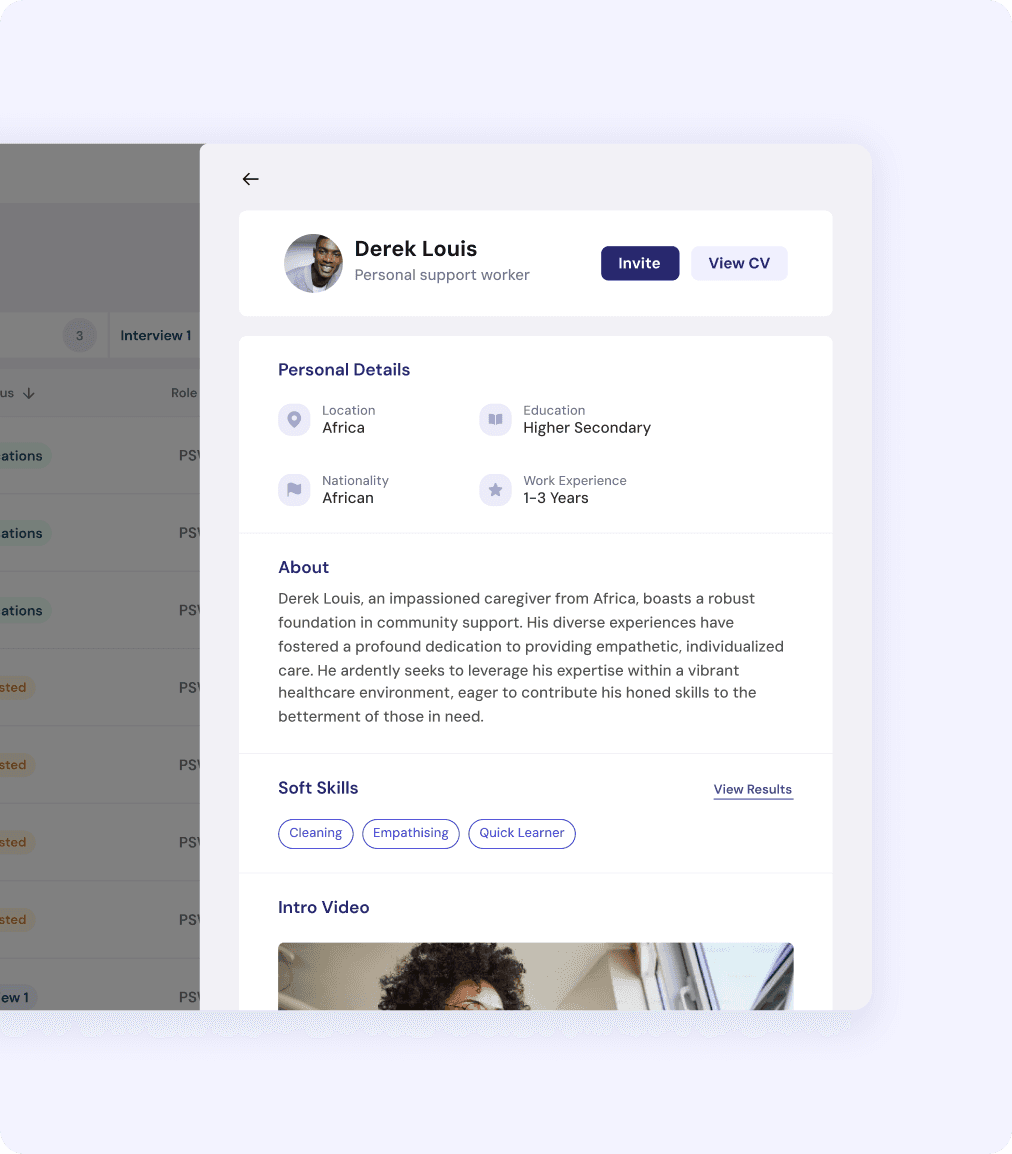
The Candidate Profile offers a comprehensive view of the applicant's qualifications and suitability.
Recruiters can access personal details, work experience, skills, and education.
Assessment performance is available to gauge the candidate's competency.
Uploaded documents like resumes, cover letters, video introduction and certifications are easily accessible.
Recruiters can add internal tags to streamline the selection process.
Provides a detailed overview to support informed decision-making during evaluations.
Recruiters can invite the eligible candidates to apply through their job posts.
If there are multiple recruiters from the same company, how will everything be managed?
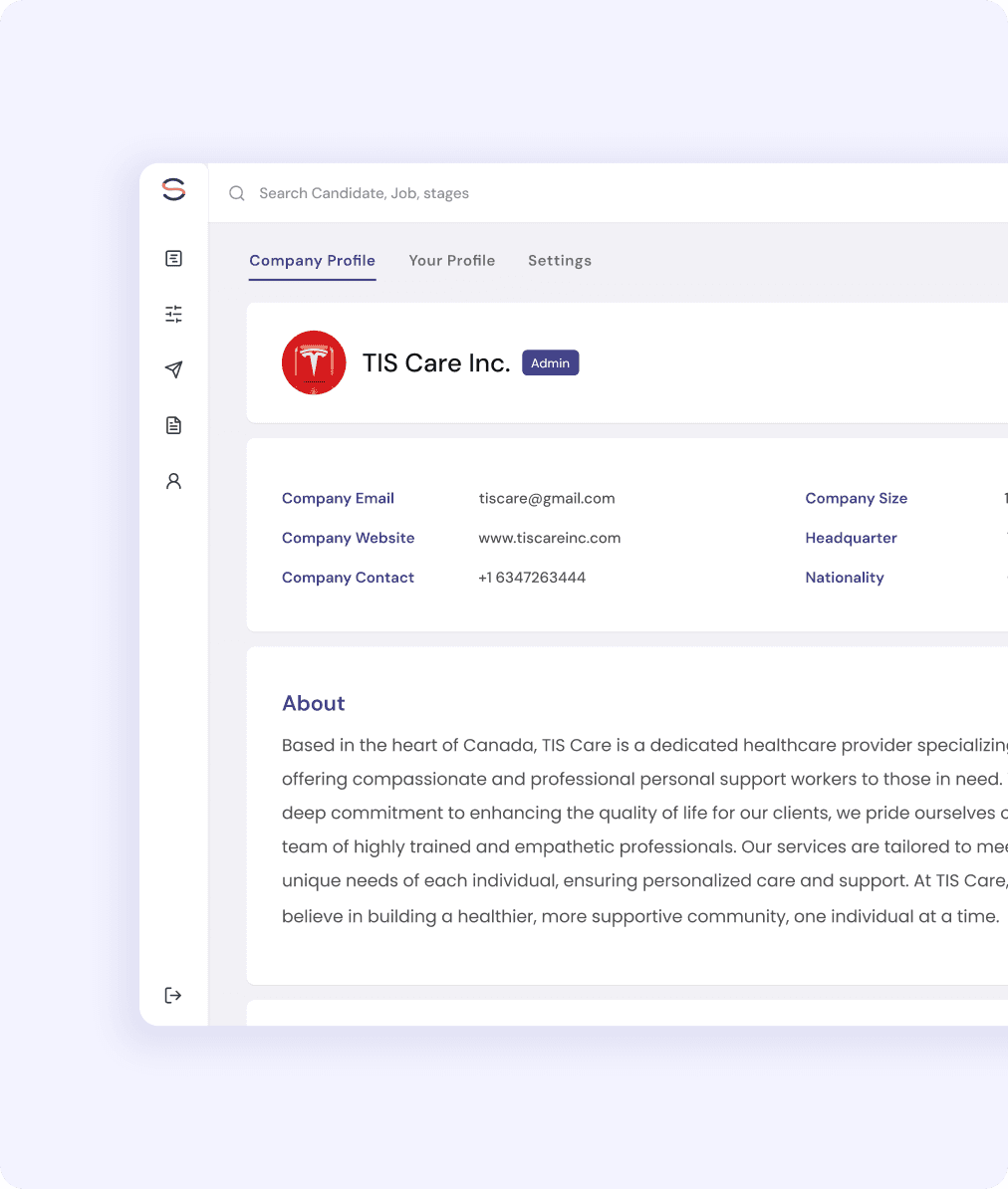
The Admin role has full control over the company’s page and recruitment process.
They can manage the company profile, including editing details and adding/removing recruiters.
Admin can assign access levels and manage recruiter permissions.
Oversees all job posts with the ability to create, edit, or delete listings.
Monitors the status of active and archived job posts.
Tracks and views all applications, regardless of which recruiter posted the job.
Assigns job posts to recruiters and monitors progress to meet hiring goals.
Adjusts access rights, delegates tasks, and controls recruiter access.
Views reports and analytics for insights into overall hiring performance.
Candidate's Flow
How will the candidate search for the required job?
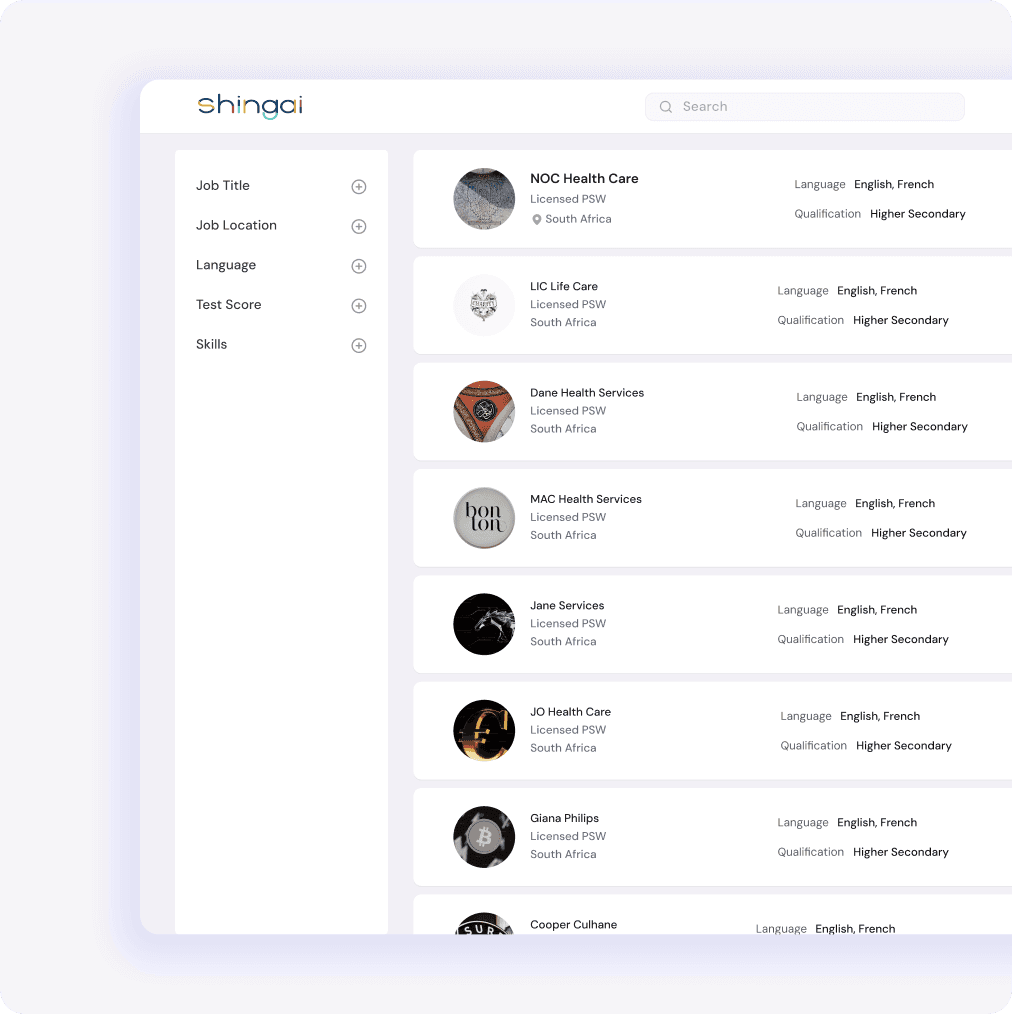
The Search Feature enables candidates to explore job opportunities using a simple keyword search.
Candidates can find job posts based on job titles, skills, locations, or company names.
Advanced filters allow for more precise searches, such as filtering by location, job type, required experience, or specific companies.
Helps streamline the job search, focusing on roles that match candidates' qualifications and interests.
Job recommendations are offered based on the candidate’s profile, past applications, and search history.
Ensures continuous exposure to relevant opportunities aligned with the candidate’s career goals.
How will the candidate communicate with the recruiters and share the required documents?
The Messaging Feature allows candidates to communicate directly with recruiters through the platform.
Candidates can send and receive messages about job opportunities, application status, and interview schedules.
Keeps all communication in one place, ensuring a smooth and organized job search experience.
Allows attachment of documents like resumes, cover letters, or certificates for easy sharing.
Intuitive messaging interface with real-time notifications to ensure candidates never miss updates or responses from recruiters.

How will the candidate be able to make accurate CV for themselves?
The CV Maker provides a convenient tool for candidates to create a professional CV within the platform.
Guides candidates through sections like personal details, work experience, education, skills, and certifications.
Organized structure allows candidates to build a comprehensive CV with ease.
Offers pre-designed templates with different styles and layouts for a polished, visually appealing CV.
Allows uploading of profile pictures and relevant links, such as portfolios or LinkedIn profiles.
Integrated with the candidate's profile data, automatically pulling in existing information
Gamification rewards encourage c.andidates to complete their CV and maintain a well-rounded profile.
CVs can be downloaded or shared directly with recruiters for a smooth application process.

How will the candidate know about the company they are applying for?
The CV Maker provides a convenient tool for candidates to create a professional CV within the platform.
Guides candidates through sections like personal details, work experience, education, skills, and certifications.
Organized structure allows candidates to build a comprehensive CV with ease.
Offers pre-designed templates with different styles and layouts for a polished, visually appealing CV.
Allows uploading of profile pictures and relevant links, such as portfolios or LinkedIn profiles.
Integrated with the candidate's profile data, automatically pulling in existing information
Gamification rewards encourage c.andidates to complete their CV and maintain a well-rounded profile.
CVs can be downloaded or shared directly with recruiters for a smooth application process.
Add Details

Create CV
Back
Search
Feedback?

The Company Profile gives candidates valuable insights into potential employers.
Includes details such as the company’s name, location, industry, website, and a description of its mission and values.
Helps candidates understand the company’s culture and work environment before applying.
Lists available job positions, providing a clear view of current opportunities.
Offers information on the company’s hiring history, including past job postings, employee reviews, and company achievements.
Assists candidates in making informed decisions about where to apply.

How will the candidates acquire proper guidance throughout their journey?
The Resources and Courses section helps candidates enhance skills and knowledge for PSW roles
Offers access to a variety of courses, tests, and reference materials tailored to job market needs
Candidates can browse recommended courses aligned with their career goals
Certifications earned from completed courses can be showcased on the candidate’s profile to boost visibility.
Skill assessment tests linked to job qualifications allow candidates to demonstrate competency.
Includes reference videos and learning materials to help with interview preparation and professional skills improvement.
Gamification features keep candidates engaged by offering badges, rewards, and points for course and assessment completion.
Badges and rewards are displayed on profiles, adding a sense of achievement and motivation for continuous learning.
Special milestones can be unlocked by completing course combinations or achieving high scores in assessments, adding fun to the development journey.

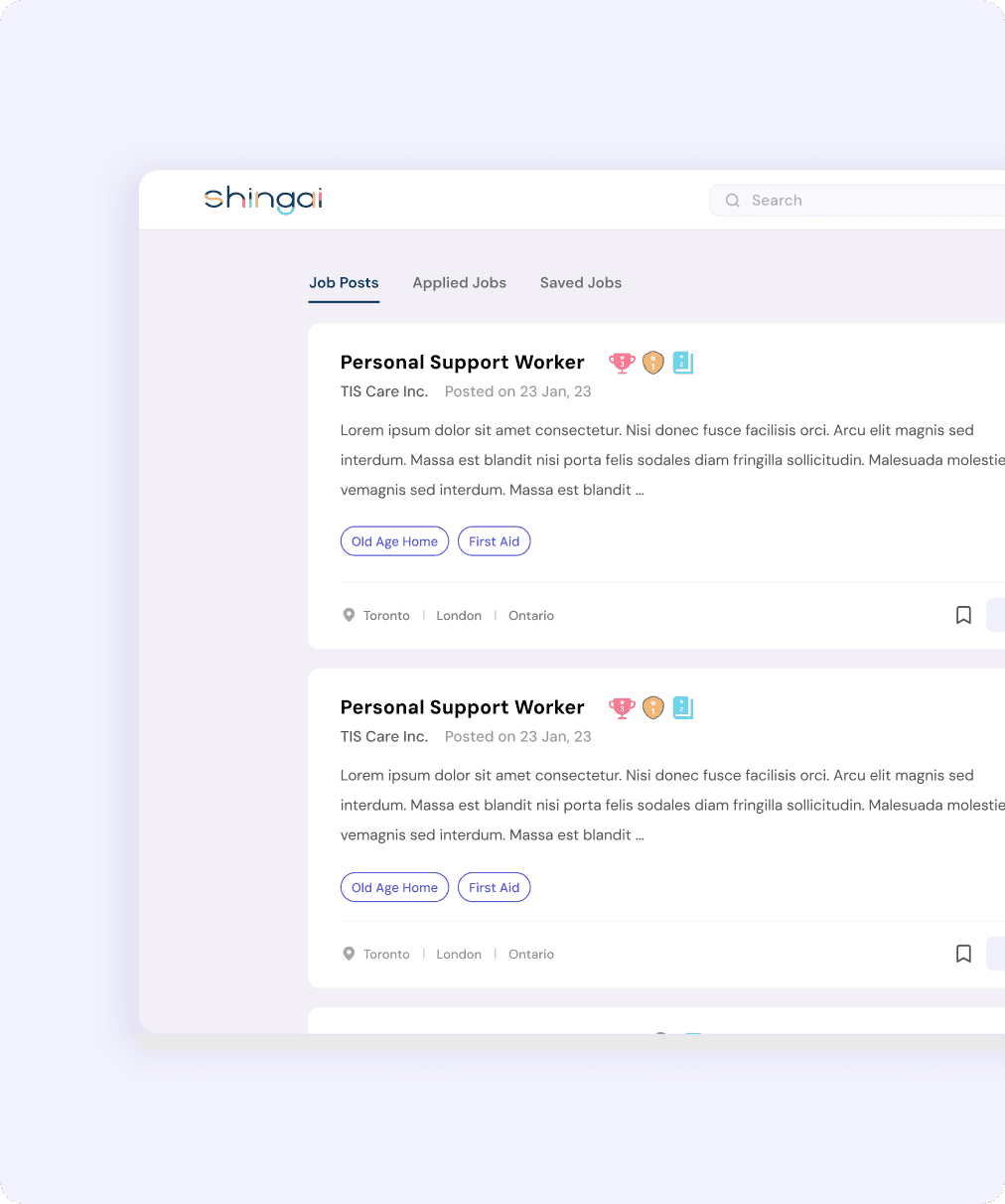
How will a candidate find an appropriate job post?
The Job Posts section offers a clear, user-friendly interface for candidates to explore job opportunities.
Candidates can view listings tailored to their qualifications, skills, and location preferences.
Each post displays key details like job title, company name, description, required skills, work type, and application deadline.
Filters allow candidates to search by location, job type, or company for more relevant opportunities.
Candidates can save job posts for future reference or apply immediately through the platform.
Application progress can be tracked from the dashboard, showing statuses like in review, shortlisted, or interview scheduled.
Recommended jobs based on the candidate’s profile and application history help them discover relevant opportunities.
How will the candidate represent about themselves to the recruiters?
The Profile section serves as a candidate's personal hub to showcase skills and qualifications.
Candidates can provide key details such as work experience, education, skills, and certifications.
Essential documents like resumes, cover letters, and certificates can be uploaded directly.
Candidates can stand out by including a video introduction or voice recording for a personal touch.
Gamification features allow candidates to display badges and achievements earned through tasks or job applications.
A profile completion meter tracks progress, ensuring all necessary information is provided.
Candidates can regularly update their profile with new skills or certifications.
This profile helps candidates get noticed by recruiters and secure PSW job opportunities in Canada.

Challenges & Solutions
Diverse User Needs
User Engagement
Cross - Device Usability
Managing the ATS Flow
Flexibility with Visual Consistency
Information Density
Seamless Onboarding Flow
Diverse User Needs
Designing for candidates and recruiters required balancing their unique needs while maintaining a cohesive experience. Separate, tailored dashboards with consistent design elements were refined through user testing.


Strategies Behind The Visuals
A Simplified Dashboard Design
Maintaining Visual Hierarchy
Consistency and Brand Alignment
Components
Collapsable Sections
Error Prevention
Information Density and Clarity
Visual Feedback for Affordances


